If you develop PHP-based software — WHMCS modules, WordPress plugins, SaaS tools, or standalone applications — you’ve probably asked yourself:
“How do I sell licenses for my software and actually enforce them?”
WHMCS has a built-in licensing addon, but it’s limited. It lacks a proper admin dashboard, doesn’t include an SDK for easy integration, and forces you to build most of the infrastructure yourself.
That’s why we built the WHMCS License Management System — a complete, production-ready licensing engine that handles everything from key generation to enforcement, with a premium admin dashboard that makes managing thousands of licenses effortless.
In this guide, we’ll cover exactly how software licensing works, how to set it up, and how to integrate it into your products.
🤔 Why You Need a Licensing System
Without a licensing system, your software is unprotected after distribution. Clients can:
- Share your files with anyone, no limits.
- Install on unlimited servers — one license, infinite copies.
- Bypass any payment obligations — cancel their subscription but keep using your software.
- Redistribute your product as their own.
A licensing system solves all of this by requiring your software to “phone home” to your WHMCS installation before it runs. If the license is invalid, expired, or suspended — the software stops working.
🏗️ How the License Management System Works
The system consists of two WHMCS modules working together:
1. Server Module (licensemgr) — The Provisioning Engine
This handles the lifecycle of each license: - Create — Generates a unique license key when a customer pays. - Suspend — Automatically suspends the license when an invoice is overdue. - Unsuspend — Re-activates the license when payment is received. - Terminate — Permanently deactivates the license on service cancellation. - Renew — Extends the expiry date when billing cycle renews.
2. Addon Module (licensingmanager) — The Admin Dashboard
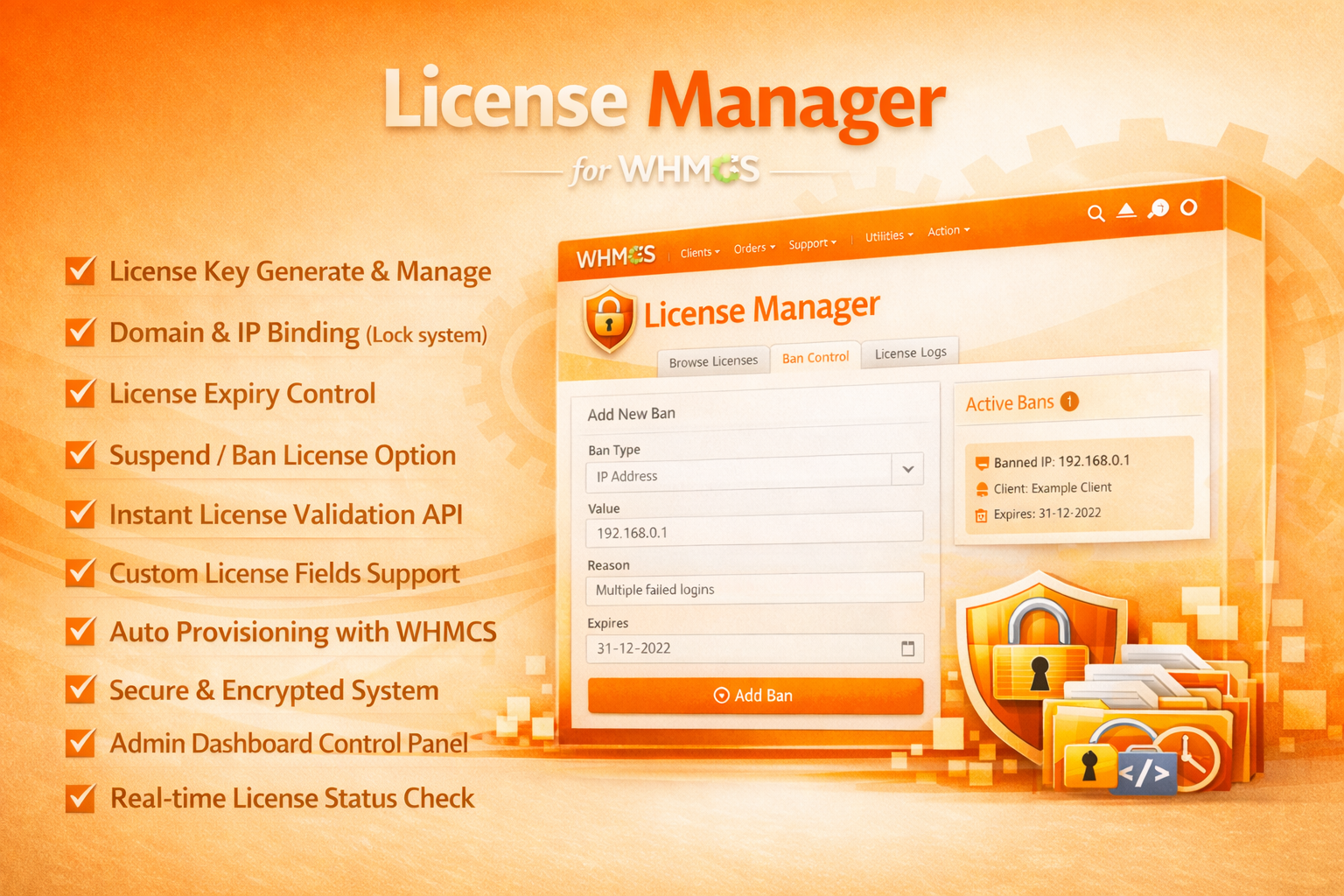
This gives you a bird’s-eye view of all licenses across your WHMCS installation: - Dashboard — Active, Suspended, Expired counts at a glance. - Browse Licenses — Search by key, domain, IP, directory, or status. - Ban Control — Block abusive IPs, domains, or license keys. - Validation Logs — Monitor every remote validation request. - Integration Guide — Built-in SDK documentation and code samples.
🔑 License Key Generation
When a customer purchases a product linked to the License Manager module, a unique key is automatically generated:
MYAPP-A7F2-K9E3-B4D1-C8H6
You configure:
| Setting | What It Does | Example |
| Prefix | Branded identifier at the start | MYAPP- |
| Length | Total characters in the key body | 16 |
| Format | Character set used | ALPHANUMERIC |
| Validity | How long the license lasts | billing_cycle |
The key is stored in the WHMCS database, linked to the client’s service, and immediately visible in their Client Area.
🌐 How License Validation Works
Your distributed software connects to a public API endpoint on your WHMCS server:
POST https://your-whmcs.com/modules/servers/licensemgr/api/validate.php
The request includes:
{
"license_key": "MYAPP-A7F2-K9E3-B4D1-C8H6",
"domain": "customer-website.com",
"ip": "185.199.108.153",
"directory": "/home/user/public_html/modules"
}
The API responds:
{
"status": "Active",
"license_key": "MYAPP-A7F2-K9E3-B4D1-C8H6",
"valid_domain": "customer-website.com",
"valid_ip": "185.199.108.153",
"expiry_date": "2027-04-09",
"message": "",
"check_type": "remote"
}
The validation engine checks: - ✅ License key exists in the database - ✅ Status is Active - ✅ Domain matches the registered domain - ✅ IP address matches (if restricted) - ✅ Installation directory matches (if restricted) - ✅ License hasn’t expired - ✅ License is not banned
If any check fails, the status is returned as Invalid, Expired, Suspended, or Blocked — and your software acts accordingly.
🔄 First-Use Domain Binding
An elegant security feature: when a license is first validated, the requesting domain and IP are automatically bound to that license. All subsequent validation requests must come from the same domain/IP — preventing license sharing.
If the customer needs to move their installation to a new server, they can use the License Reissue feature from their Client Area (with configurable limits — e.g., 3 reissues per 30 days).
🧑💻 Integrating the SDK Into Your Software
We provide two SDK options. Including them in your application takes under 5 minutes.
Option A: Drop-In Script (Simplest)
Copy check_license.php into your application and require it:
<?php
// Configure these two variables
$whmcs_url = "https://your-whmcs.com";
$license_key = "MYAPP-A7F2-K9E3-B4D1-C8H6";
require_once 'check_license.php';
if (!$licenseValid) {
die('A valid license is required to run this application.');
}
// Your application continues...
echo "Welcome! License is active.";
Option B: OOP Class (For Frameworks)
Use LicenseClient.php for Laravel, Symfony, or any PSR-4 application:
<?php
use LicenseManager\LicenseClient;
$license = new LicenseClient(
'https://your-whmcs.com',
'MYAPP-A7F2-K9E3-B4D1-C8H6',
'your_secret_key'
);
if ($license->isValid()) {
$expiry = $license->getExpiryDate();
$addons = $license->getAddons();
// Application runs normally
} else {
// Deny access
http_response_code(403);
echo "License invalid. Please visit our client portal.";
}
Both SDKs handle the full HTTP request lifecycle, error handling, and response parsing automatically.
🛡️ Ban Control: Stop Abuse in Its Tracks
The Ban Control system lets you block specific IPs, domains, or license keys from making validation requests:
- IP Ban — Block a server that’s making suspicious validation requests.
- Domain Ban — Block a domain that’s been distributing your software illegally.
- License Ban — Permanently block a specific license key (e.g., after discovering it’s been shared publicly).
Each ban entry includes: - A reason (for your records) - An optional expiration date (for temporary bans) - Admin ID tracking (so you know who added the ban)
📊 Validation Logs: Full Visibility
Every validation request is logged in the Validation Logs tab:
| Column | What It Shows |
| License Key | Which key was validated |
| Domain | The requesting domain |
| IP | The requesting IP address |
| Directory | The installation path |
| Result | valid, invalid, expired, suspended, or blocked |
| Timestamp | When the request was made |
This is invaluable for: - Detecting unauthorized usage (multiple domains using the same key) - Debugging customer integration issues - Monitoring overall license activity
Logs are paginated (10 per page) and filterable by result type. Old logs (90+ days) are automatically cleaned up by the daily cron job.
👤 Self-Service Client Area
Your customers get a professional Client Area interface where they can:
- View their license key — with copy-to-clipboard functionality
- Check license status — Active, Suspended, or Expired
- See expiry date — and billing cycle details
- Reissue the license — rebind to a new domain/IP (within configured limits)
- View reissue history — track all previous domain changes
- Download software — if you’ve linked WHMCS Downloads to the product
This reduces support tickets dramatically — customers can self-manage their licenses without contacting you.
⚙️ Automated Lifecycle Management
The system integrates with WHMCS’s billing cycle to automate everything:
| Event | What Happens |
| Payment received | License created → key delivered to client |
| Invoice overdue | License suspended → software stops working |
| Payment made | License unsuspended → software resumes |
| Service cancelled | License terminated → permanent deactivation |
| Renewal paid | Expiry date extended → software continues |
| Daily cron | Expired licenses flagged, reissue counters reset, old logs purged |
You never need to manually activate, suspend, or terminate a license. WHMCS handles it through the standard billing workflow.
🎨 A Dashboard That Looks Professional
The admin dashboard isn’t a basic WHMCS table — it’s a fully custom interface built with:
- Inter font for clean typography
- Navy/Orange color scheme matching the WHMCS Module Hub brand
- Stat cards with contextual icons (Active, Suspended, Expired counts)
- Tabbed navigation (Dashboard, Browse, Bans, Logs, Integration)
- Status badges with color-coded indicators
- Responsive table with client profile links and inline action buttons
- Pagination preserving all search filters across pages
- Empty state designs when no data exists
📦 Complete Package Contents
licensingmanager/ ← Admin Dashboard
└── licensingmanager.php
licensemgr/ ← Server Module
├── licensemgr.php ← Provisioning engine
├── hooks.php ← Cron jobs, activity logging
├── api/
│ ├── validate.php ← Public validation API
│ └── standalone_init.php ← Standalone DB initializer
├── lib/
│ ├── LicenseGenerator.php ← Key generation engine
│ ├── LicenseValidator.php ← Validation logic
│ ├── ReissueManager.php ← Reissue handling
│ └── DownloadManager.php ← Download tracking
├── sdk/
│ ├── check_license.php ← Drop-in SDK
│ ├── LicenseClient.php ← OOP SDK
│ └── README.md ← SDK documentation
├── templates/
│ └── clientarea.tpl ← Client Area UI
└── lang/
└── english.php ← Language strings
🚀 Getting Started
- Upload both licensingmanager (addons) and licensemgr (servers) to your WHMCS.
- Activate the addon from System Settings → Addon Modules.
- Create a product and link it to the License Manager server module.
- Set your key prefix, format, reissue limits, and validity period.
- Copy the SDK into your software and configure the WHMCS URL.
- Start selling — licenses are generated and enforced automatically.
That’s it. Your software is now protected by a professional licensing system that scales with your business.
💰 The Business Impact
| Without Licensing | With License Management System |
| Software shared freely | One license = one installation |
| No usage visibility | Full validation logs |
| Manual suspension | Automatic billing integration |
| Support tickets for reissues | Self-service Client Area |
| Revenue leakage | Protected revenue stream |
🎯 Who Should Use This?
- WHMCS module developers selling addons and provisioning modules.
- PHP application developers distributing commercial scripts.
- SaaS providers using WHMCS for subscription billing.
- Digital product sellers who need domain-locked license enforcement.
- Agencies selling white-label solutions to multiple clients.
✅ Start Protecting Your Software Today
The WHMCS License Management System is available now from the WHMCS Module Hub store. Comes with the full server module, admin dashboard, public API, developer SDK, and comprehensive documentation.
Build software. Sell licenses. Protect your income.
Questions about licensing strategy, SDK integration, or custom configurations? Contact us — our team will help you set up the perfect licensing workflow for your products.